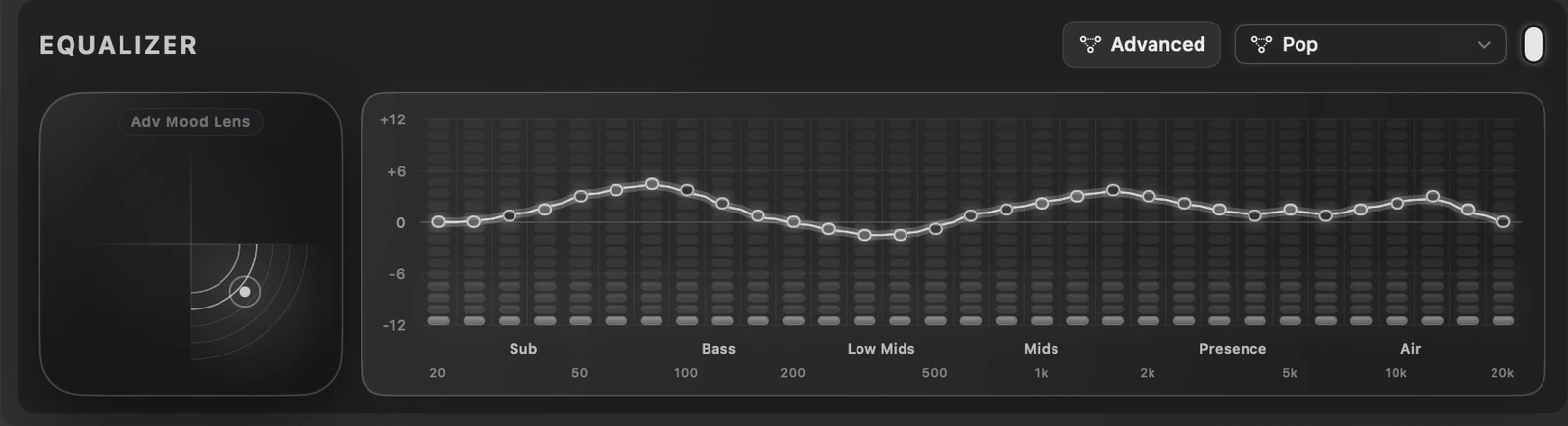
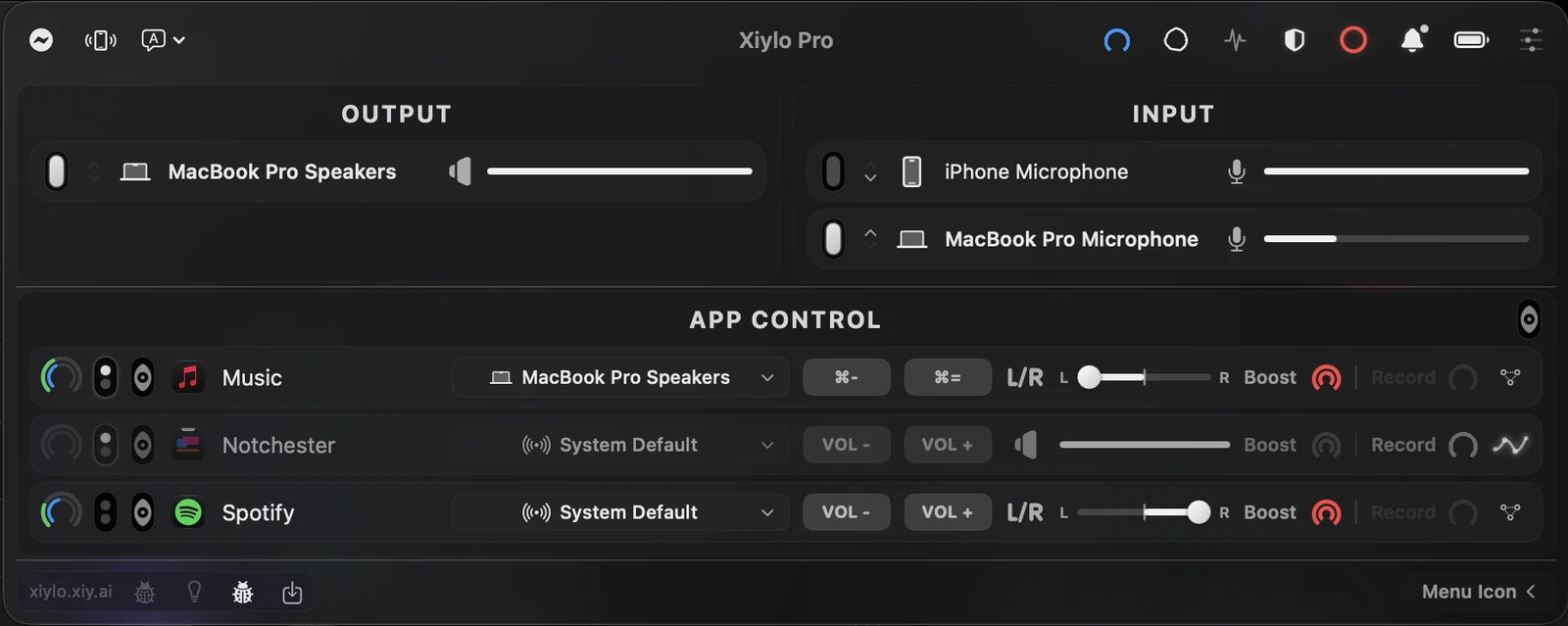
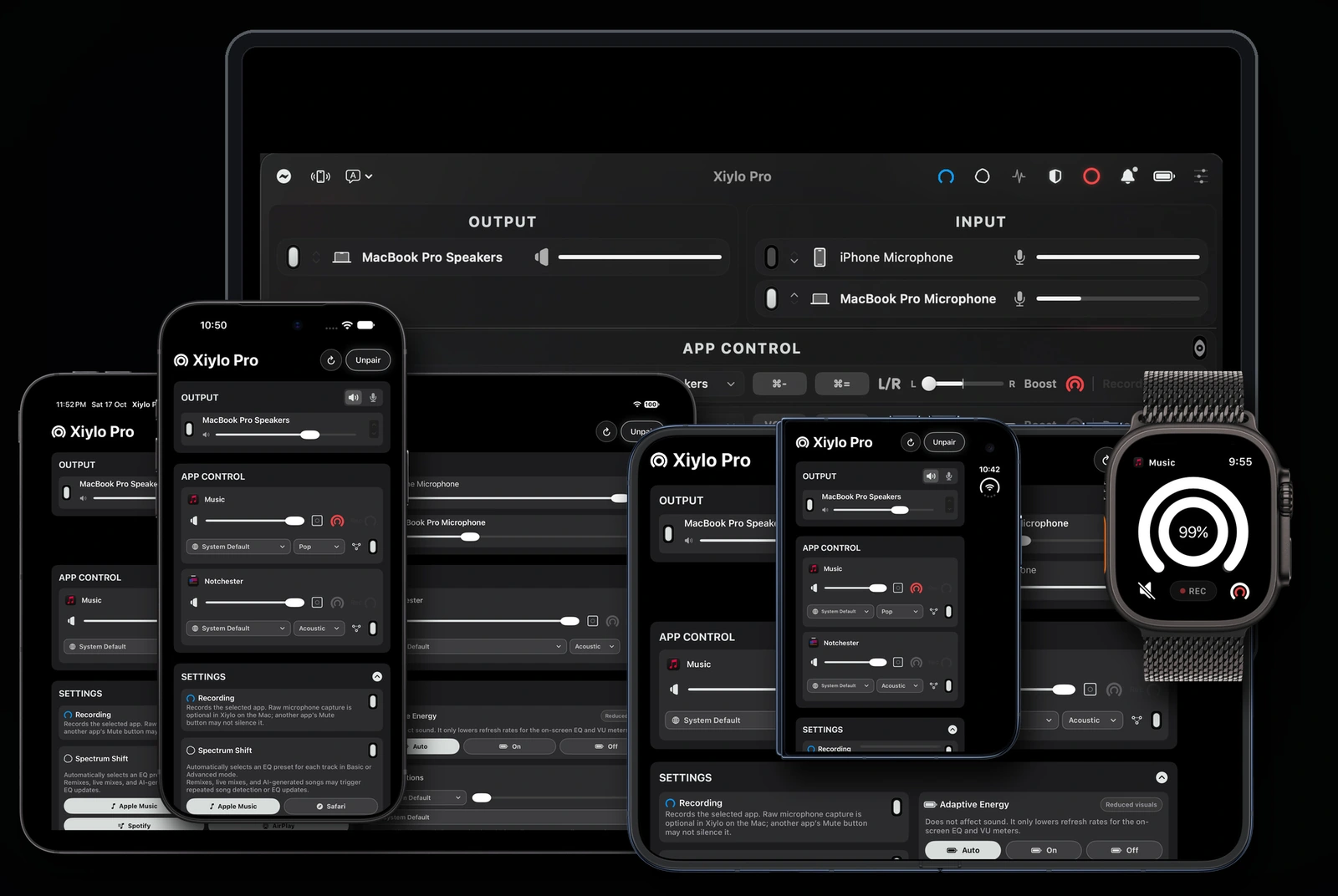
31-band Advanced EQ. Advanced Mood Lens. Independent volume, left/right balance, outputs and recording for each Mac app. Reach the same controls from iPhone, iPad and Apple Watch.
Your Apple family.iPhone, iPad, both Duo displays and Apple Watch become remotes for your Mac.
On-device PrivacyCore audio processing stays on your Mac. Optional recognition and diagnostics are explained in our privacy policy.
XIYLO PRO 2.0
Minimal on the outside. Made for serious sound.
Version 2 has been submitted for App Store review. Check the App Store for release availability, then update the Mac and companion apps together.
31-BAND ADVANCED EQ
Give every frequency your attention.
Keep the familiar 10-band Basic EQ, or open 31-band Advanced EQ from 20 Hz to 20 kHz. Each Mac app keeps its own curve. Advanced EQ bypasses the EQ distortion limiter.
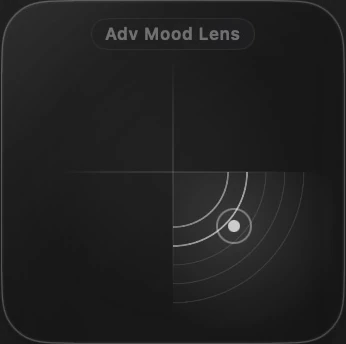
ADVANCED MOOD LENS
One point. A deeper way to listen.
Warm. Clean. Vocal. Lift. Explore four directions and five strengths across your app’s 31-band EQ. Return to the neutral centre, or fine-tune the bands yourself.
Mood Lens works with Basic EQ. Advanced Mood Lens works with Advanced EQ. The selected app’s mode and position stay in sync across Mac and remotes.
PER-APP LEFT / RIGHT
Two apps. Two sides.
Music to the left. A browser to the right. Each app keeps its own balance, separate from volume. A gentle snap finds the centre, and supported recordings preserve the same L/R placement.
XIYLO RECORD
Keep the sound of one app.
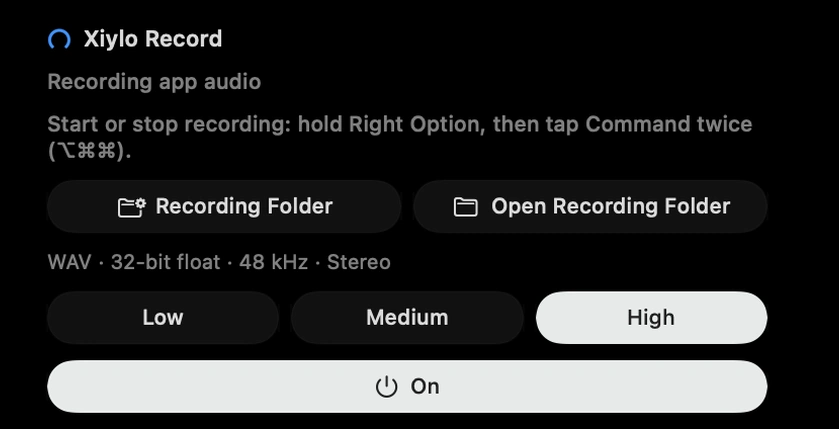
Record a supported Mac app with its L/R balance preserved. Choose quality and a folder, and start or stop app-audio recording from Mac, phone or Watch. Files stay on your Mac.
Record only content you are authorised to record. Known protected-media apps are blocked. Xiylo Record captures app audio only.
THE MAC DOES THE AUDIO. YOUR DEVICES DO THE CONTROL.
Your whole setup. Within reach.
iPhone. iPhone Duo, closed or open. Landscape iPad. Apple Watch. Control the sound of your Mac apps from the screen that suits the moment.
Phone and iPad: volume, L/R balance, EQ, Mood Lens, routing, Boost and recording.
Watch: crown to choose an app, outer ring for its volume, app mute, two Boost levels, REC/STOP and Mood Lens.
Duo: minimize Settings to reveal eight right-edge shortcuts. Tap one to slide its compact controls into view.
Mood Lens opens as a compact bottom sheet. Swipe down to close it.
Pair on the same local network and confirm matching numbers. Watch connects through its paired iPhone.
With Red Shift enabled, double-tap Right Option to mute or unmute the default Mac microphone. See its status on your connected remotes.
ZoomMeetTeams
02
Every app gets its own volume.
Turn down Safari, boost Music, and keep calls exactly where they belong.
Safari
Music
Final Cut Pro
ChatGPT Atlas
03
Your EQ changes with the song.
Spectrum Shift recognises songs from Apple Music, Safari, Spotify and AirPlay, then automatically selects a matching EQ preset as the track changes. Recognition and matching depend on the content.
♪Apple Music
Safari
Bass Boost
04
Your Mac. From phone, tablet or wrist.
Use iPhone, iPad, both Duo displays or Apple Watch. The Mac processes the sound; Watch connects through its paired iPhone.
Xiylo Pro
05
Better sound at lower volume.
Dynamic Tone adds clarity and presence when you are listening quietly.
64%
AutoOff
06
Basic protection. Advanced control.
The EQ distortion limiter is available for custom Basic EQ. Advanced EQ bypasses it, keeping your 31-band edits in your control.
07
Inputs and outputs in one place.
Switch speakers, headphones, displays, and microphones without opening System Settings.
Output
MacBook Pro Speakers
AirPods Pro
Display Audio
Input
MacBook Pro Microphone
Studio Mic
Headset Mic
08
Lives in your menu bar.
Native, fast, and always there when your Mac audio needs a tiny adjustment.
Xiylo Pro
09
Simple outside. Advanced inside.
Explore Advanced Mood Lens: move one point towards Warm, Clean, Vocal or Lift across five strengths. The Mac, phone and Watch follow the selected app’s EQ mode.
Advanced Mood LensWarmCleanVocalLift
10
One app. Multiple speakers.
Array can send an app to more than one output at the same time when your setup needs it.
Music
MacBook Speakers
Studio Display
AirPods Pro
11
Make it feel like yours.
Pick one accent color and Xiylo carries it across the Mac app and iPhone remote.
Mac
Remote
12
Low volume content gets a lift.
Choose Single or Double Boost for an individual app. Other apps keep their own settings.
Single / Double Boost
13
Your menu bar tells the story.
Live icons give quick visual cues for Red Shift, Boost, Spectrum Shift, and active sound states.
Red Shift activeDefault Mac microphone muted
Your Mac never sounded this good.
Runs on your Mac
Xiylo reads playback, device state, and audio behavior locally, so the core intelligence stays right where your sound lives.
Listening stays private
Core EQ and routing run on your Mac. Optional song recognition uses Apple’s ShazamKit service for supported sources; optional diagnostics are off by default.
Instant audio decisions
EQ moves, routing changes, and live menu cues react quickly because Xiylo is not waiting on a network round trip.
Works without internet
Red Shift, EQ presets, per-app volume, and device routing keep working even when Wi-Fi disappears.
Built for Apple Silicon
Xiylo is tuned for Apple Silicon Macs, using local performance to keep audio control native, fast, and private.